Add or upgrade my Domain Protection plan
Add or upgrade Domain Protection to boost the security of your domains. Domain Protection offers increased security against online threats by sending alerts when changes are made to your domain and preventing accidental expiration. Some domain extensions are not eligible for certain Domain Protection features.
- Sign in to your GoDaddy Domain Portfolio. (Need help logging in? Find your username or password.)
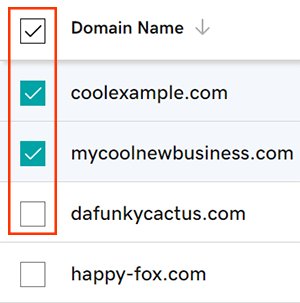
- Select the checkboxes next to the domains you'll be updating. Or, select the checkbox next to Domain Name and then choose Select All.
- From the action menu, select Protection Plans and then select Upgrade Protection Plans.
- Depending on your screen size, you may need to select the More menu and scroll down to see Protection Plans.
- Choose your preferred Domain Protection plan from the available options.
- Select Checkout to complete your order.
Auto-renew will be turned on automatically when you add or upgrade Domain Protection.
Related steps
- Change the Domain Privacy setting for your domains.
- Review your domain contact info to make sure your details are accurate and up-to-date.
More info
- Set up 2-step verification for the best security on your domains and account.